Advanced Identity and Access Management (IAM) solutions like Tello enable unified lifecycle management and identity governance (IG) across diverse on-premises, cloud, third-party LDAP providers, Linux, and other systems. Microsoft Entra ID and Microsoft Active Directory (AD) are foundational tools for account management in Microsoft-centric ecosystems, requiring their integration with advanced IAM tools for unified user provisioning.
This blog examines the challenges and best practices for integrating Microsoft platforms with advanced IAM tools, helping organizations unify user provisioning and identity governance across legacy and modern environments while enhancing security, compliance, and operational efficiency.
What is Microsoft Entra ID and Microsoft Active Directory (AD)?
Microsoft Entra ID and Microsoft Active Directory (AD) are Microsoft’s preferred solutions for user provisioning, access control, and credential management. Both deliver identity services for users, applications, and devices across organizational Windows environments.
Microsoft Entra ID (formerly Azure Active Directory) is a cloud-native identity platform. It provides user access management for Microsoft services, supporting both cloud-based and on-premises applications.
Microsoft Active Directory is a legacy, on-premises directory service. It manages local network resources and infrastructure, using a single identity per user to grant access to connected systems.
Entra ID is not a direct replacement for Active Directory. Many organizations maintain hybrid Microsoft identity environments, utilizing both solutions to bridge the gap between legacy infrastructure and modern cloud services.
Integrating MS Entra ID/Active Directory with Advanced IAM Solutions
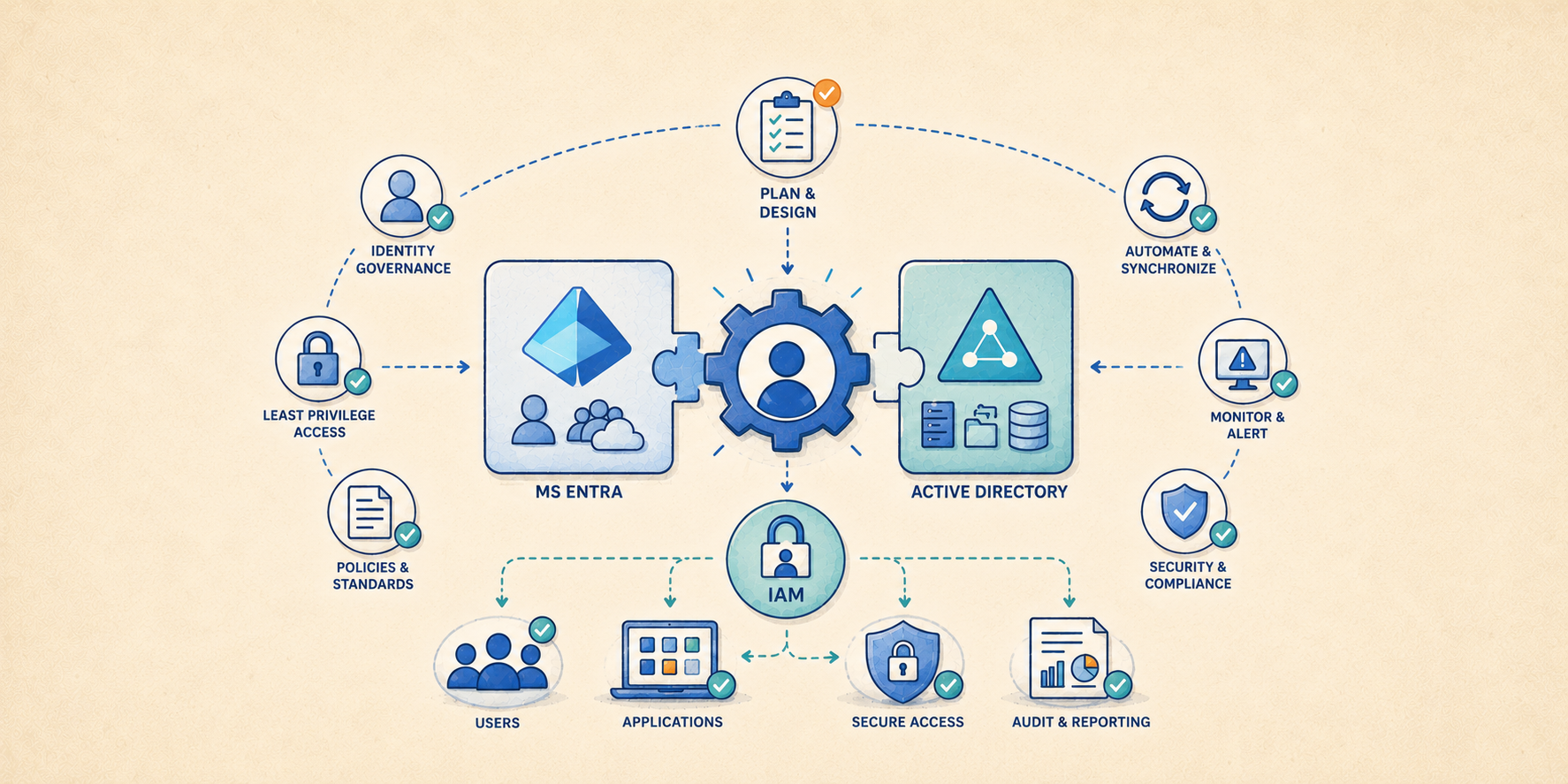
Integrating Microsoft Entra ID and Active Directory with an advanced IAM solution like Tello establishes a centralized identity governance framework across diverse IT environments. Solutions such as Tello provide the granular lifecycle management required for enterprise systems. By acting as a unified identity authority, Tello automates user provisioning and enforces consistent access policies across legacy, on-premises, cloud, and Windows applications.
For most IAM systems, integration requires installing a connector that is usually available from your enterprise IAM solution provider. Connectors provide a bridge that enables and synchronizes IAM user provisioning and access management from a source system (such as Tello or another Identity and Access Management solution) with a target system such as Microsoft Entra ID or Active Directory. Connectors enhance security, compliance, and operational efficiency by aligning Microsoft’s identity management functions with the provider’s advanced capabilities, under the IAM administrative interface.
MS integration with IAM platforms standardizes user provisioning and access across the enterprise, helping harden the enterprise attack surface while generating the comprehensive organization-wide audit trails and reporting needed to meet complex regulatory requirements.
Best Practices for Integrating Microsoft Solutions with Advanced Identity & Access Management
Look for and use the following key integration and user lifecycle management best practices when integrating Entra ID and Microsoft AD user and account management into an enterprise IAM solution. Many of these practices are enabled in the features and connectors provided with advanced Identity and Access Management solutions such as Tello.
- Connectors to Microsoft Entra ID and Microsoft Active Directory identity providers (IDP): Connectors allow your IAM system to manage the users and groups within both types of Microsoft identity provider platforms.
- Directory Synchronization: For two-way user provisioning and access management automation. Connecting to and provisioning users in Entra ID or Active Directory from within an IAM solution and synchronizing IAM user configurations with Microsoft user account information.
- Role-based Access (RBACs): Assigning Windows domain and system resource access permissions to specific roles (i.e., administrator, finance, or developer) rather than individual users. When users are assigned to a role, they automatically acquire all Windows and other server access permissions authorized for that role. RBACs help enforce the principle of least privilege (PoLP) across all user accounts.
- Automatic detection and import of existing users and privileges: For creating and populating Microsoft or non-Windows accounts using existing accounts.
- Comprehensive audit logging: Generating a complete log of all Windows and other provisioning tasks performed by IT administrators, including administrator ID, date, and provisioning task accomplished.
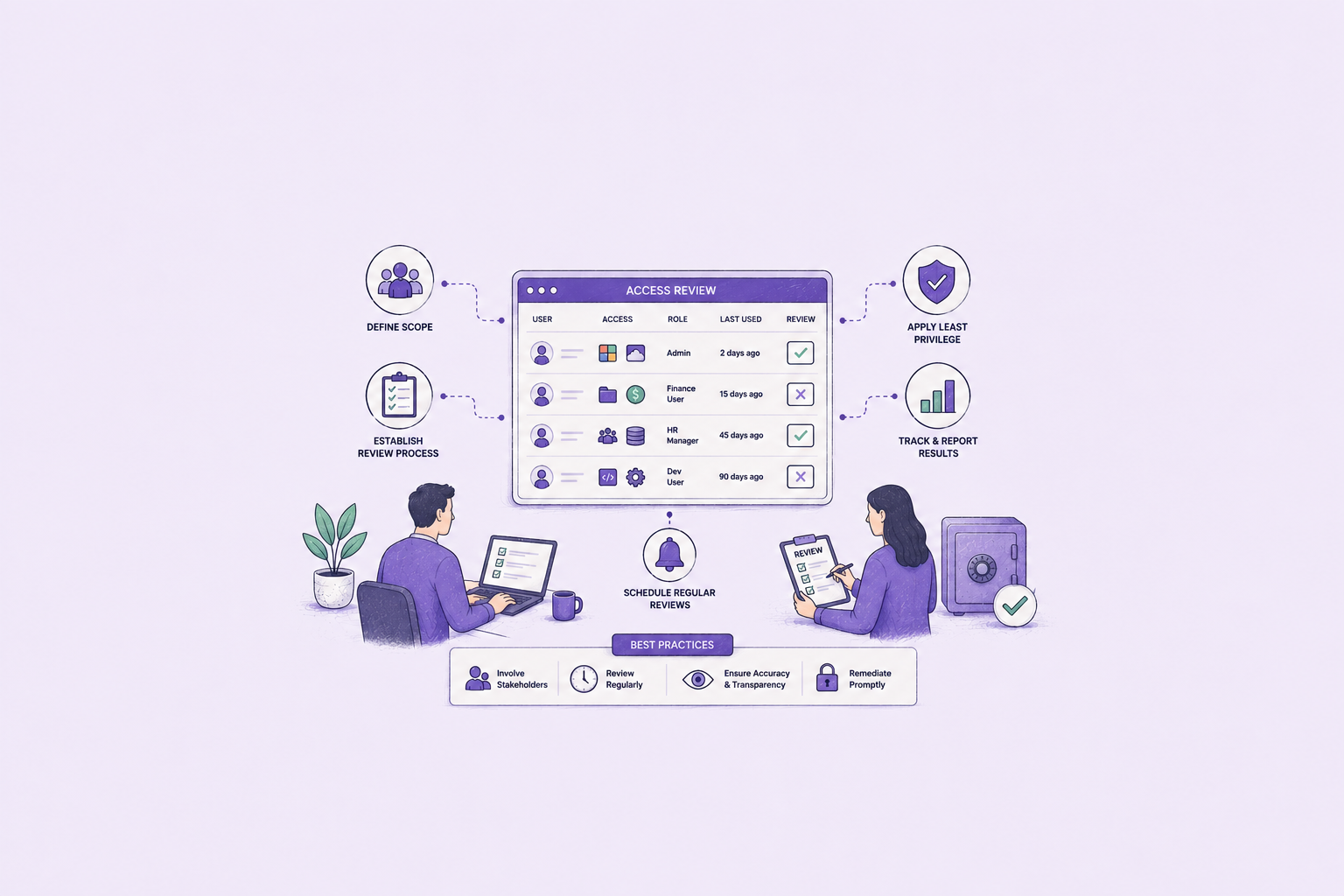
- User access review: Ability to review and report on user access assignments (Windows and non-Windows systems) by individual user or by individual servers.
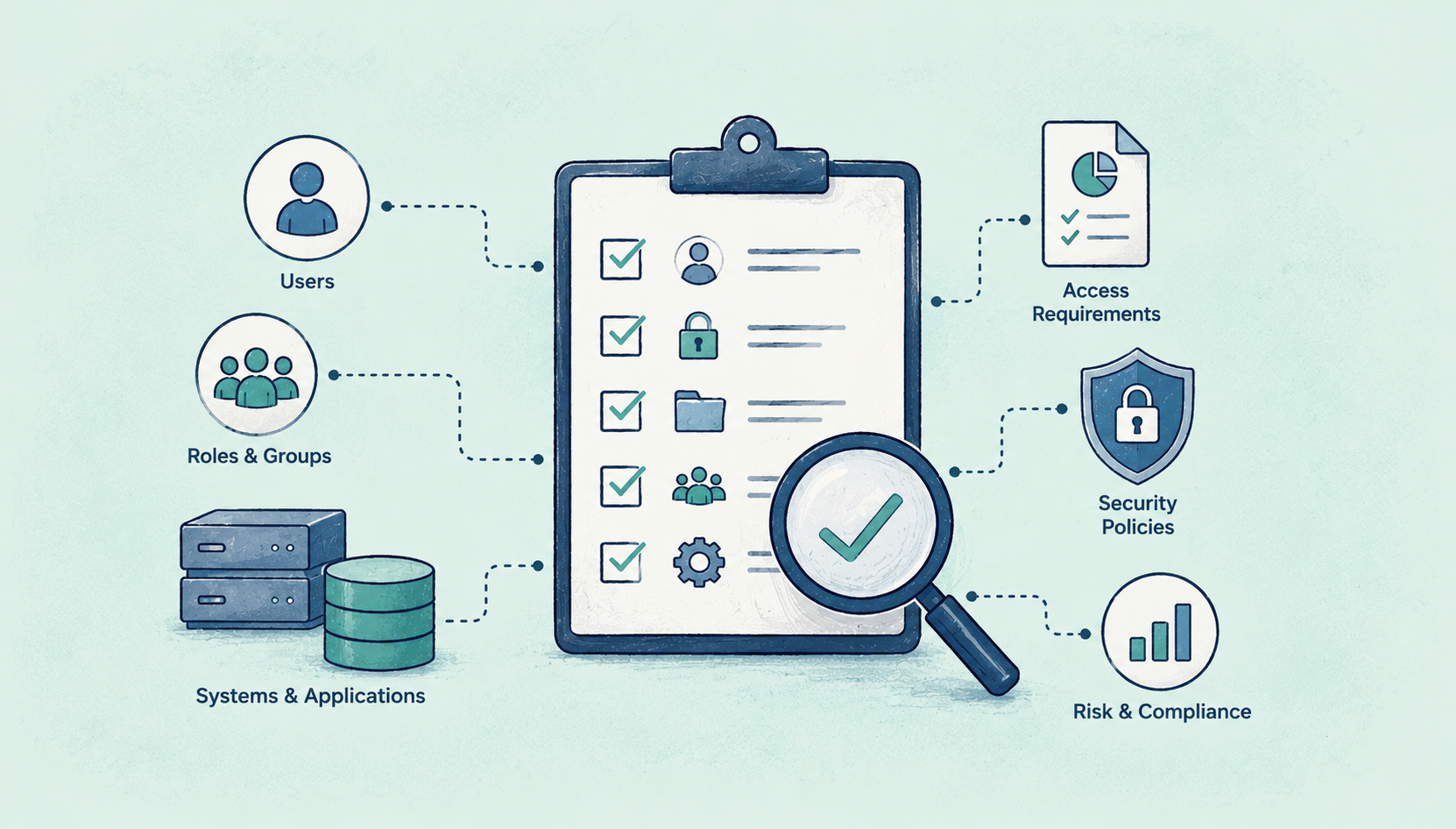
- User and permission reports: Exporting a full list of all users and their current permissions across your enterprise IAM stack, for identity governance.
- Offboarding compliance: Disable connected Windows accounts and capture evidence whenever enterprise user access is revoked, including any applications where access was revoked, IT administrator, and date.
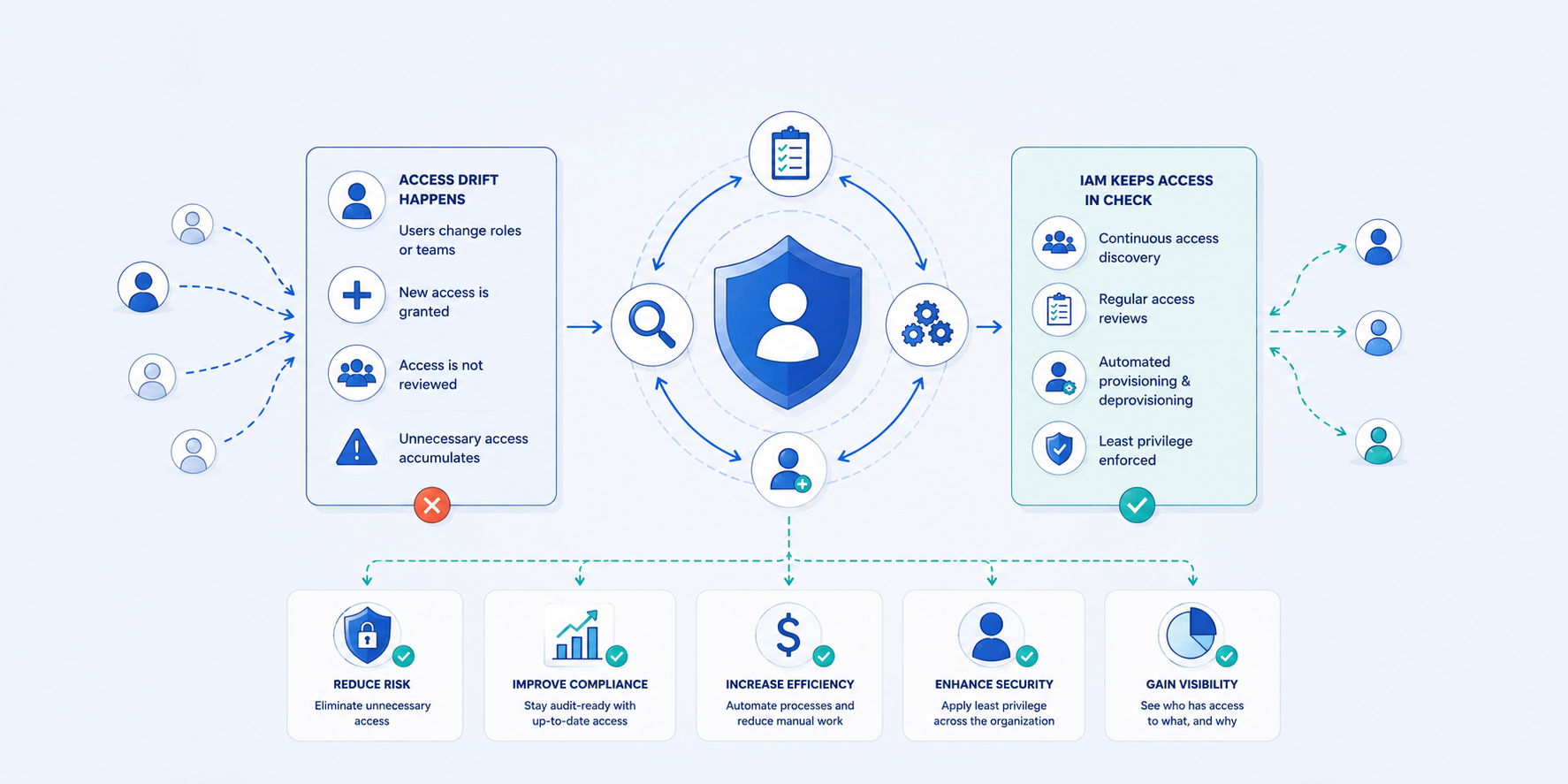
- Access alerts: Continuous access monitoring for anomaly detections, policy violations, and to flag and resolve access drift issues involving enterprise user accounts.
Learn More About Integrating Microsoft Identity Platforms with IAM solutions
Contact us for more information on using innovative tools like Tello to modernize your user provisioning practices to Identity Governance standards. Seasoft IG experts can perform an organization-specific assessment to help modernize your IAM user account provisioning and identity governance compliance.